Skip to content
HDTruckTunes.com Shop hardware

HDTRUCKTUNES · ELECTRONIC LOGGING

Your ELD setup, made simple.

Find the right hardware, then activate your electronic logging subscription directly with EZ LYNK.

Subscriptions and recurring fees are handled by EZ LYNK.

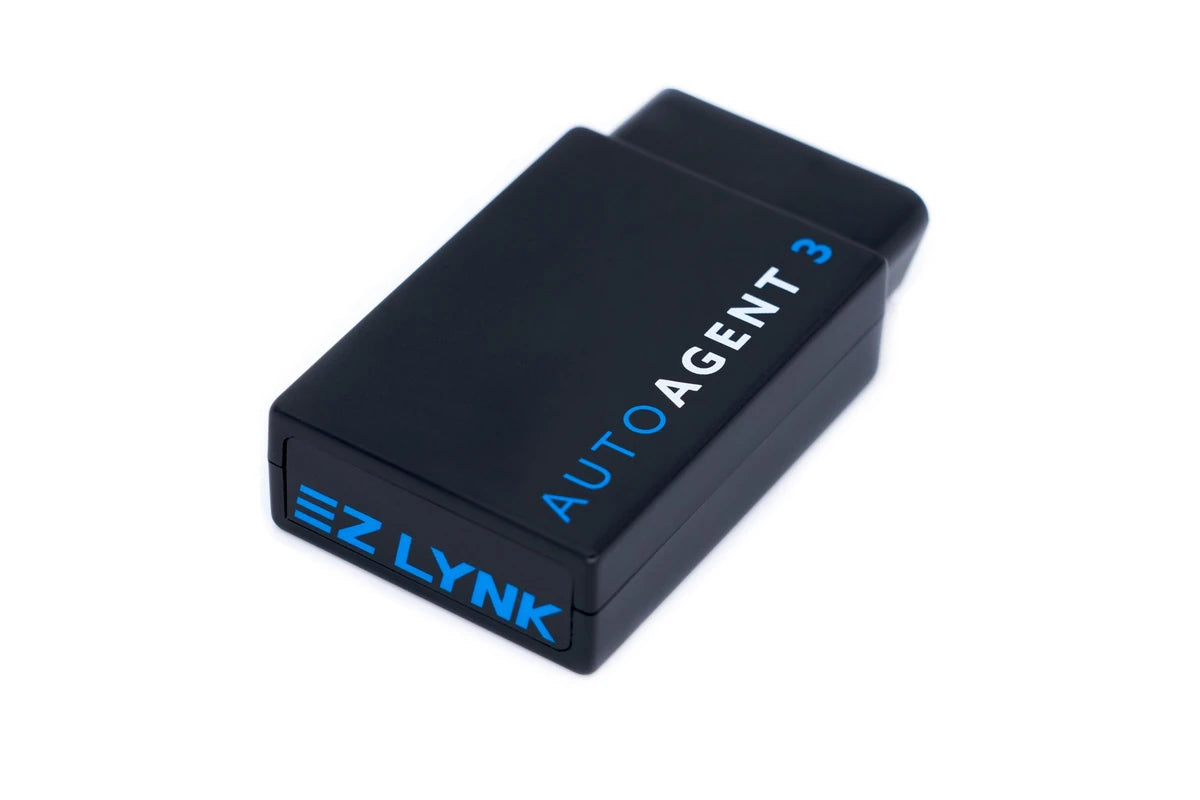
EZ LYNK Auto Agent 3 hardware on a white background.

Auto Agent 3 hardware

The Auto Agent is one part of an ELD setup. You also need a compatible vehicle connection, the ELD app and a Fleet Manager subscription.

Hardware and app configuration

Legal for ELD use in the USA and Canada

Use the listed hardware and app configuration, and follow the operating rules that apply to your vehicle.

United States

Registered with FMCSA

EZ LYNK ELD Android and iOS are registered with the U.S. FMCSA as EZLAND and EZLIOS. Providers self-certify compliance; FMCSA registration is not agency certification or endorsement.

Android: EZLAND · iOS: EZLIOS

View the FMCSA registered list

Canada

Listed third-party certifications

Transport Canada lists active third-party certifications for EZ LYNK ELD with Auto Agent 3: Android EZAND3, certificate 6T52; iOS EZIOS3, certificate 6T53.

Auto Agent 3 Android
EZAND3 · 6T52
Auto Agent 3 iOS
EZIOS3 · 6T53

These listings concern ELD use. HDTruckTunes tuning services remain limited to supported Cummins heavy-duty applications.

Status checked October 6, 2026.

Four steps to get started

Start with a matched setup

Review the hardware, app and account together, then learn the daily workflow.

  1. Confirm your hardware

    Choose an Auto Agent and a cable that match your vehicle's diagnostic connection. Share your truck and port details with HDTruckTunes if you need a hardware review.

  2. Prepare your mobile device

    Use a compatible iOS or Android phone or tablet with cellular data, and install the EZ LYNK ELD app. Check the provider's current device requirements.

  3. Activate with EZ LYNK

    Create a Fleet Manager account, add your drivers and assign the Auto Agent serial number to the provider plan you choose.

  4. Learn the daily workflow

    Review EZ LYNK's guides for logs, inspections and data transfer before using the system on the road.

Driver and fleet tools

Keep the workday in view

EZ LYNK connects vehicle data, the driver's ELD app and the Fleet Manager portal. Available features depend on the provider plan you select.

Electronic driver logs

Record duty status, review driving time and present or transfer logs during an inspection.

Vehicle inspection reports

Create inspection records in the mobile app and review them through the fleet portal with a supported plan.

Fuel and mileage records

Supported plans bring fuel receipts and mileage information together for IFTA reporting.

A shared fleet view

Manage drivers and vehicles, review records and communicate through EZ LYNK's cloud tools.

Compare current EZ LYNK features

Match the connection

Choose the connection for your truck

An Auto Agent, the right diagnostic cable and a compatible mobile device work together. Hardware purchases and the EZ LYNK subscription are separate.

Ask about hardware compatibility

Send us your setup details

  • Truck make, model, year and installed engine
  • Auto Agent model and the adapter you already have
  • Phone or tablet model and operating system
  • Where you operate, including cross-border trips
Discuss your setup
  • EZ LYNK Auto Agent 3

    The vehicle interface used with the EZ LYNK ELD app and a provider subscription.

    View Auto Agent 3 hardware
  • HD 9-pin cable

    A connection option for compatible heavy-duty diagnostic ports. Confirm your truck's connector before choosing it.

    View HD 9-pin hardware
  • Auto Agent 3 HD 6-pin cable

    An AA3 J1708 connection option for diagnostic and ELD use. Port and programming compatibility require review.

  • PACCAR 9-pin feed-through adapter

    A separate optional add-on for a compatible installation using an HD 9-pin cable. Truck make alone does not establish whether it is needed.

  • Smartphone window mount

    An optional suction mount for a compatible phone. It holds the phone, rather than the Auto Agent.

Service billed by the provider

Hardware here. ELD service through EZ LYNK.

HDTruckTunes sells hardware. Choose and manage the ELD subscription directly in EZ LYNK Fleet Manager. Subscription charges are handled by EZ LYNK, separately from your HDTruckTunes hardware purchase.

Check current plan features, terms and charges in the provider portal. A hardware purchase does not activate an ELD subscription.

ELD setup questions

Do I buy an ELD subscription from HDTruckTunes?

Activate and manage your subscription directly with EZ LYNK. HDTruckTunes handles hardware inquiries; provider plans and recurring fees are separate.

Is buying an Auto Agent enough to start logging?

Your setup also needs compatible vehicle connectivity, the EZ LYNK ELD app and an assigned provider subscription. Follow EZ LYNK's setup instructions.

Does ELD compatibility confirm tuning support?

Tuning needs its own engine, ECM and programming-path review. HDTruckTunes tuning services cover supported Cummins heavy-duty applications.